File #144981
Contract
Active
File #142001
Contract
Inactive
File #004157
Personnel
Active
reduce costs and enhance customer service
operational efficiencies,
reduce costs and enhance
customer service
File #142001
Contract
Inactive
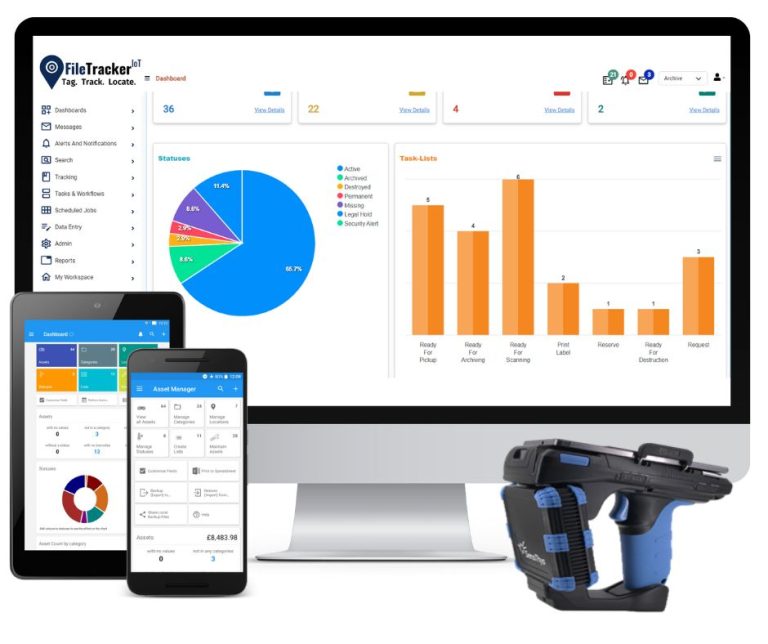
FileTrackerIoT is designed based on our staff’s internal specialization spanning 38-years of records management experience and through feedback from leading government and commercial organizations worldwide.
The TrackingSystemsIoT team’s experience in records management started in 1984 with the implementation of open-shelving and color-coded filing systems for a wide range of industries and governments. In 1989, began implementing barcode file tracking systems. In 1991 began providing outsource scanning services to microfilm and/or digitize documents for archival purposes. In 1992 began delivering electronic document management systems.
Additional credentials include being recipient of U.S. Patent for ‘Innovative Filing System Innovation’. In 1998, invented and developed the world’s first cloud-based document, folder and archive labeling system and gained #1 market share in the USA. Staff have received multiple credentials through the prestigious Institute of Certified Records Managers (www.icrm.org).
Our team has worked intimately with many government and commercial organizations worldwide, and FileTrackerIoT has been continually enhanced based on what we learn through working with our customers and in meeting their broad requirements. All features that we add for any specific customer become core capabilities of FileTrackrIoT for all future customers ‘out of the box’.
- Facilitates best practices and standard operating procedures gleaned through inputs from our extensive prior experience and system deployments
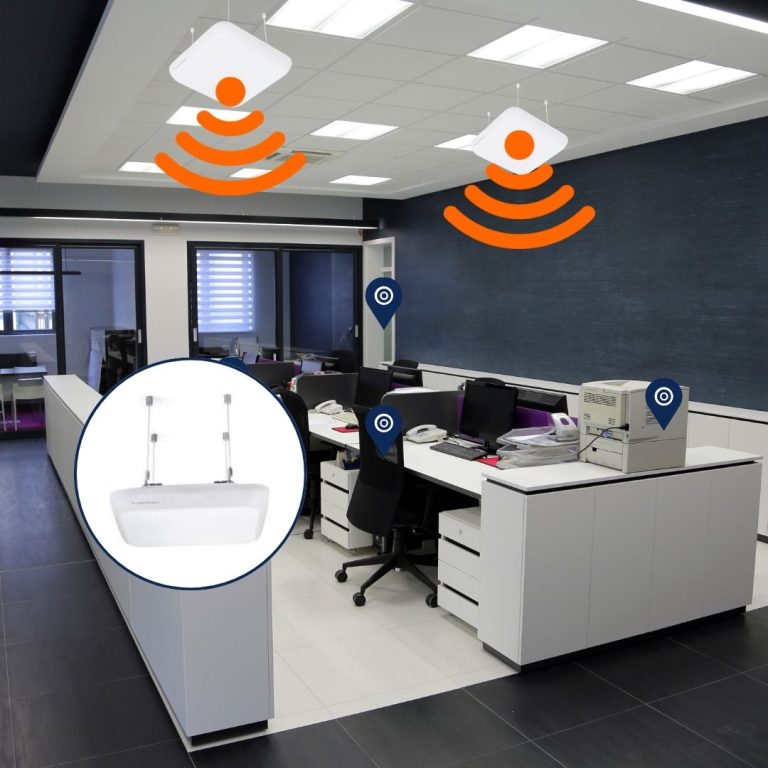
- Integrates barcode and RFID (radio wave) technologies for real-time file tracking and the ability to FIND missing/needed files
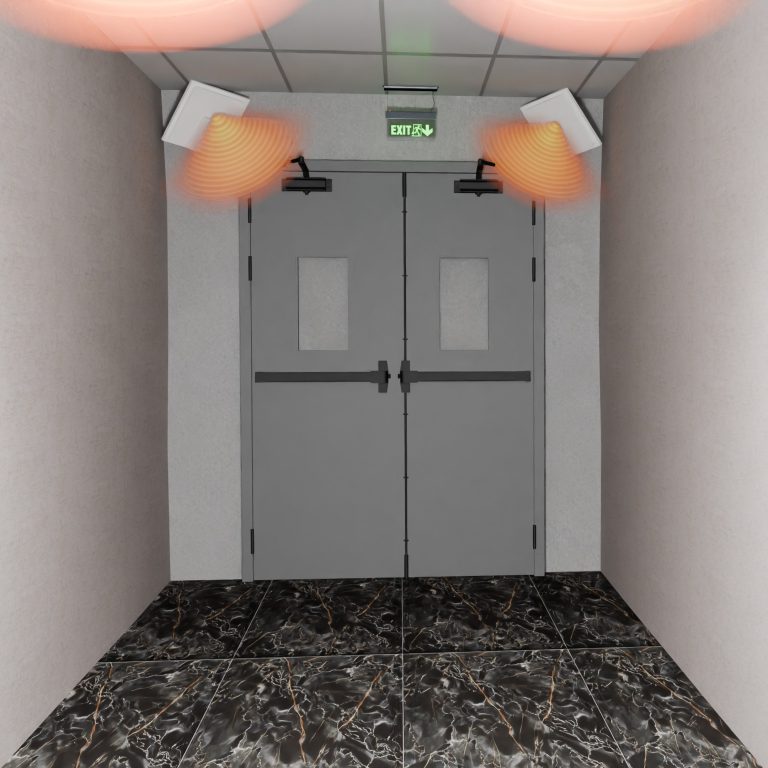
- Supports electronic signatures for transfer-of-custody and alarms and lights to prevent the unauthorized removal of files or documents from file rooms or facilities
- Integrates with comprehensive Electronic Records and Document Management System for electronic document management and workflow automation
- Delivered to your exacting specifications and requirements.
Implementing records management and file tracking solutions is most successful when your vendor has proven experience with similar, prior clients. You can trust TrackingSystemsIoT and FileTrackerIoT to ensure your success.
TrackingSystemsIoT staff have implemented filing systems, records management compliance and file tracking solutions for high profile commercial and government organizations for decades. Our expertise blends the knowledge that we have gained through records management professionals in multiple countries for a broad array of file management applications across many commercial and government sectors. File Trackr™ embodies the knowledge and the resulting, continual enhancements to the software that we have gained through our intimate collaboration with customers that we have enjoyed across the globe. All available to you ‘out of the box’.
National Oceanic and Atmospheric Administration (NOAA)
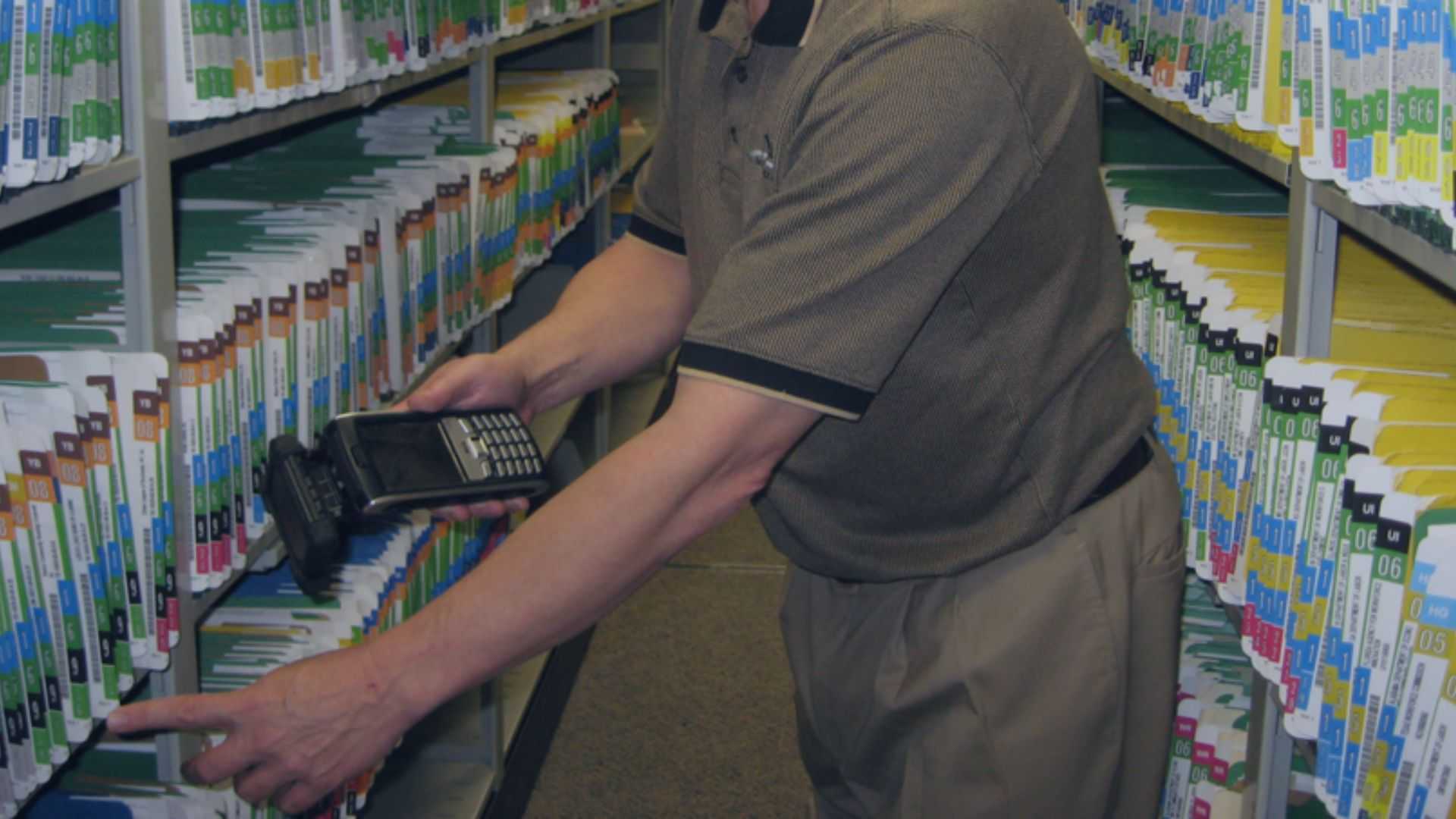
NOAA operates five (5) regional offices and operations centers across the United States. A significant operational unit of NOAA manages the procurement process, including contracts and contract amendments. Documentation was disorganized and in folders, flat on shelves and loose in boxes. Documents for a specific contract and amendment amendments were scattered throughout the filing systems. Project included physical audit of all documents, files and boxes at all sites, sorting of documents based on contract # and centralizing the documents within unitized, side tab folders with color-coding of the digits of the contract # for fast, accurate files, pulls and refiles. Also labeled folders with RFID tags and implemented mobile RFID scanner to enable rapid file tracing, inventories and for finding needed/missing files.
United Arab Emirates Ministry of Interior
UAE-MOI Department of Civil Defense provides emergency fire and medical services throughout the U.A.E.. Personnel must receive extensive ongoing training to ensure that their job skills are current, and must receive periodic certifications for authorization to perform their duties and operate sophisticated equipment. The Department of Civil Defense is a 2-story building in Dubai with two (2) ground floor entrance/exits and hallway wings to the left and right of the elevator and stairwell in the building’s center. Project included placement of RFID labels on personnel folders to enable quick check-in and check-out, and to trace and find files throughout the facility. Installed twelve (12) RFID file detection zones along hallways on both floors for real-time file tracking. Installed RFID antennas and alarms at building exits to prevent unauthorized file removals.
John Hopkins Medical Center
Johns Hopkins Medical Center, based in Baltimore, Maryland, is one of the premiere healthcare providers in the world. Physical medical records include progress notes, lab reports and other critical healthcare documentation that is stored within the medical records file folders and utilized by medical staff at the point-of-care and by administrative staff for insurance and billing purposes. Implemented file management and barcode tracking software with color-coding of patient records based on the first three (3) letters of the patient’s last name for visual filing and to prevent misfiles. Folder labels also include barcodes enabling fast, accurate check-in and check-out and to inventory files-in-circulation each morning. System prints file location reports posted on bulletin board so that staff know exactly where the folders that they require for patient visits and administrative purpose can be quickly and easily accessed.
Canada Supreme Court
The Canada Supreme Court, located in Halifax, Nova Scotia, Canada is a busy court system hearing the country’s most important court cases. Project included printing RFID labels for case file folders that house the essential documents related to the court cases being heard by the Supreme Court. Often, when cases are in active hearings, new documents will be received by the Court for folders that are already in-circulation. System prints document/folio labels for these ‘hot documents’ that are placed on index cards and clipped to the folio/document so the documents can be tracked until the folder is located for the placement of the document. Implemented RFID/mobile scanner so that files can be traced throughout facilities and missing/needed files and documents can be quickly located.
Botswana Ministry of Infrastructure and Housing
The Botswana Ministry of Infrastructure and Housing is located in Gaborone, the capital of Botswana, Africa. The Ministry has approximately 4,000 employees and has a centralized file room with file folders for each employee, and ‘secret’ fileroom that houses sensitive files that are subject to restricted access, and, project files related to building projects throughout the country. Converted documents from thin paper file jackets with string fastener to sturdy manila side view folders with special fasteners that enable removing of documents without having to unthread and rethread other documents. Placed RFID, color-coded labels on files for visual filing. Implemented mobile scanner to trace files daily and find needed files. Installed twenty (20) RFID detections zones along hallways and at fileroom doorways for real-time file tracking. Installed RFID antennas, cameras and alarms at building exits to prevent the unauthorized removal of files.
BankUnited
BankUnited is a large bank with many locations across Florida, New York, New Jersey and Connecticut and an asset portfolio exceeding $36 billion. U.S.A. law requires that bank’s maintain signature documents, like Notes, Repayment Agreements and the like in physical, original document format and that the original documents are brought to court for legal proceedings. BankUnited had a self-developed file tracking database that was failing and at was at urgent risk of complete failure. Project was fast-track 3-week duration that included customized loan management database, export of data from old database to new database, and integration with the bank’s core processing systems for import of new loan records. Implemented color-coding based on Loan # and mobile RFID scanner to inventory and find files.
FileTrackerIoT implementations incorporate a wide array of tracking and security technologies that have brought innovation to the filing systems industry, including world-class expertise in filing systems and file management.
The TrackableIoT team’s experience in records management spans over 35 years with a consistent track record of innovations for physical filing systems and for the software and technology that optimize records management operations. Our diverse experience includes a history of innovation:
Early 1980’s, invented terminal-digit, color-coded filing methodology that sequences records by the last two (2) digits of a file # for faster filing and enhanced misfile controls
Mid 1980’s, was early-to-market in providing customers with computerized file labeling software and barcode file tracking technology
Late 1980’s was early-to-market in providing scanning/indexing services to digitize paper records and to convert microfilmed records to digital format
Early 1990’s, was early-to-market in providing customers with electronic document management systems to compliment physical filing systems
Mid 1990’s was awarded U.S. patent for ‘innovative file management solution
Late 1990’s, invented the first cloud-based file folder and archives labeling solution without having to install software on local computers
Mid 2000’s, invented the filing industry’s first printable all-in-one RFID file folder label that includes text fields, color-coding, barcode and RFID
Mid 2000’s was early-to-market in delivering RFID tracking technology for filing systems, with widespread global implementations for government and industry
Early 2010’s, advanced the software and technology to track an organization’s assets, personnel, tools, parts and other important item-types
Early 2020’s, developed new generation software to ensure our customers optimal performance and system continuity for years to come
FileTrackerIoT is a component of TrackingSystemsIoT software and technology platform. Enabling organizations to implement a single software application for a wide array of operational requirements.
Documents, Files and Archives
Facility Assets
Industrial Assets
Personnel, Contractors, Visitors and Vendors
Parts for Facility Maintenance
Tools for Facility Maintenance
Dies and Plates
Warehouse Parts, Raw Materials, Goods and Inventory
Advanced Sensors and Technology to Automate Manufacturing
Weapons, Gear and Ammo
Police Evidence and Seized Property
Library Books and Media
Museum Art and Artifacts
Any type of object or person